Career
The Ultimate UI/UX Roadmap for Beginners
A structured, week-by-week path from UI/UX fundamentals to a job-ready portfolio — with the books, tools, and action steps that matter.
 Ajmain Fayek
3 min read
Ajmain Fayek
3 min read
User Interface (UI) and User Experience (UX) design have become two of the most in-demand skills in the digital industry. Whether you want to design stunning mobile apps, intuitive websites, or seamless digital experiences, you need a structured approach to learning UI/UX.
This roadmap will guide beginners step by step, from foundational knowledge to expert-level skills, ensuring you stay on track.
1. Understanding UI vs. UX: The Core Differences
Before diving deep, let’s clarify what UI and UX mean:
- UI (User Interface) design focuses on the aesthetics and layout of a digital product—colors, typography, buttons, and interactive elements.
- UX (User Experience) design is about usability, accessibility, and ensuring a smooth user journey.
Example: A well-designed mobile banking app with beautiful buttons (UI) but confusing navigation (bad UX) leads to a frustrating user experience.
Why learn UI/UX?
- High demand – Companies worldwide are hiring UI/UX designers.
- Creative & analytical – A perfect mix of creativity and logic.
- Remote-friendly – Many UI/UX jobs offer freelance and remote opportunities.
2. Step-by-Step UI/UX Learning Roadmap
Step 1: Learn UI/UX fundamentals (weeks 1–2)
Start by reading:
- “The Design of Everyday Things” by Don Norman
- “Refactoring UI” by Steve Schoger & Adam Wathan
- “UX Laws” – learn cognitive psychology in design
Understand the core principles:
- Hick’s Law (fewer choices = faster decisions)
- Fitts’s Law (closer & larger buttons improve usability)
- Gestalt Principles (visual grouping for better comprehension)
Recommended: NNGroup, UX Design Institute, Smashing Magazine
Step 2: Master UI design — visual design & tools (weeks 3–6)
Learn UI design principles:
- Typography: font pairings, readability, hierarchy
- Color theory: color psychology, contrast, accessibility
- Layout & grids: alignment, spacing, and balance
- UI components: buttons, forms, cards, icons
Top UI design tools:
- Figma (industry standard)
- Sketch (Mac users)
Action step: Recreate popular UIs (Dribbble, Behance) to improve your skills.
Step 3: UX research & wireframing (weeks 7–9)
Learn how to research users & test designs:
- Conduct user research (interviews, surveys, personas)
- Create user flows & wireframes (blueprints of interfaces)
- Perform usability testing (A/B testing, heatmaps)
Recommended tools:
- Balsamiq (for quick wireframing)
- Miro / Whimsical (for user journey mapping)
- Maze (for usability testing)
Action step: Sketch wireframes of real-world apps (Instagram, Airbnb) and analyze user flows.
Step 4: Learn prototyping & interaction design (weeks 10–12)
Create realistic prototypes with interactive elements:
- Microinteractions (hover effects, button clicks, animations)
- High-fidelity prototypes (clickable mockups for real-world testing)
Prototyping tools:
- Figma (Smart Animate) – ideal for smooth UI interactions
- Framer – advanced animations & interactions
- Adobe After Effects – motion design for UI/UX
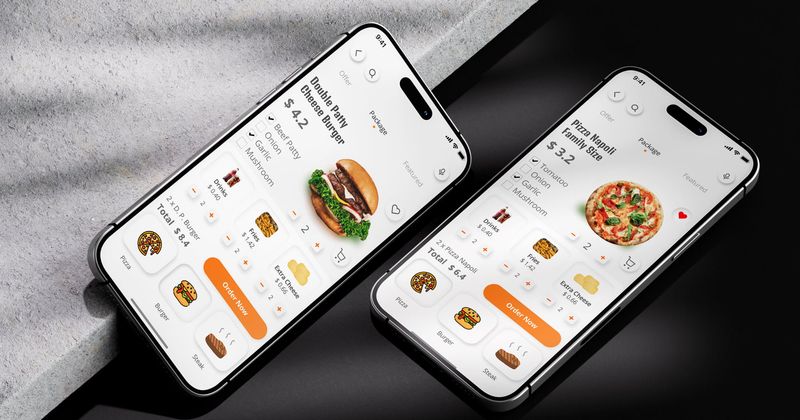
Action step: Design and prototype an interactive app UI (a food delivery app, fitness tracker, etc.).
Step 5: Understand UX psychology & accessibility (weeks 13–15)
Learn how human psychology influences UX:
- Cognitive load reduction – minimize distractions & guide users.
- Usability heuristics – follow Jakob Nielsen’s 10 usability principles.
- Web accessibility (WCAG 2.1) – ensure your designs are accessible for everyone.
Action step: Audit a website for UX flaws & accessibility issues (use Lighthouse or the WAVE tool).
Step 6: Build a strong UI/UX portfolio (weeks 16–20)
Showcase 3–5 strong projects:
- Case study #1: Redesign a popular app (e.g., Spotify, Airbnb)
- Case study #2: Create a new mobile/web app concept
- Case study #3: Solve a real-world UX problem
Portfolio must-haves:
- Process documentation (show research, wireframes, testing results)
- Before & after comparisons (highlight UX improvements)
- Interactive prototypes (allow people to test your designs)
Action step: Upload projects to Behance, Dribbble, or a personal website. Need help? Read How to Build a Strong UI/UX Portfolio.
3. Next Steps: Where to Go from Here?
Freelance or full-time? Start applying for:
- Entry-level UI/UX jobs on LinkedIn, Glassdoor, and Dribbble
- Freelance work on Upwork, Fiverr, or Toptal
- Open-source projects on GitHub (design for dev teams)
Keep learning:
- Follow industry leaders – Don Norman, Jared Spool, Nielsen Norman Group.
- Join UI/UX communities – design communities on X, Reddit (r/userexperience), and UX Mastery Slack.
- Contribute to design blogs – share your learnings on Medium or Substack.
The journey begins now! With consistency, projects, and passion, you can break into UI/UX design and build a career in this ever-growing field. Start today.